Written by Md Rakib Hassan — Income Tax Practitioner with 10+ years of tax compliance and audit experience across Bangladesh and the UK. Former Accounts Manager at a UK chartered accounting firm managing 1,000+ clients, with direct experience resolving multi-year tax audit disputes with HMRC and the NBR. Currently Finance Controller at a UK-based multinational tech group.
Introduction
Bangladesh’s VAT administration has undergone one of its most significant digital transformations in recent years. The VAT online system — accessed via vat.gov.bd — is now the primary gateway through which every VAT-registered business in Bangladesh registers, files returns, pays tax, raises appeals, and manages its compliance record. Whether you are a small trader or the finance director of a multinational company, the VAT online portal is where your VAT obligations begin and end.
In this guide, I will walk you through everything you need to know about the VAT online system in Bangladesh for 2026: what it is, how to log in, what iVAS means, how to file your monthly VAT return, and how to pay VAT online — all with the precision that comes from working directly in this system for over a decade.
What Is the VAT Online System in Bangladesh?
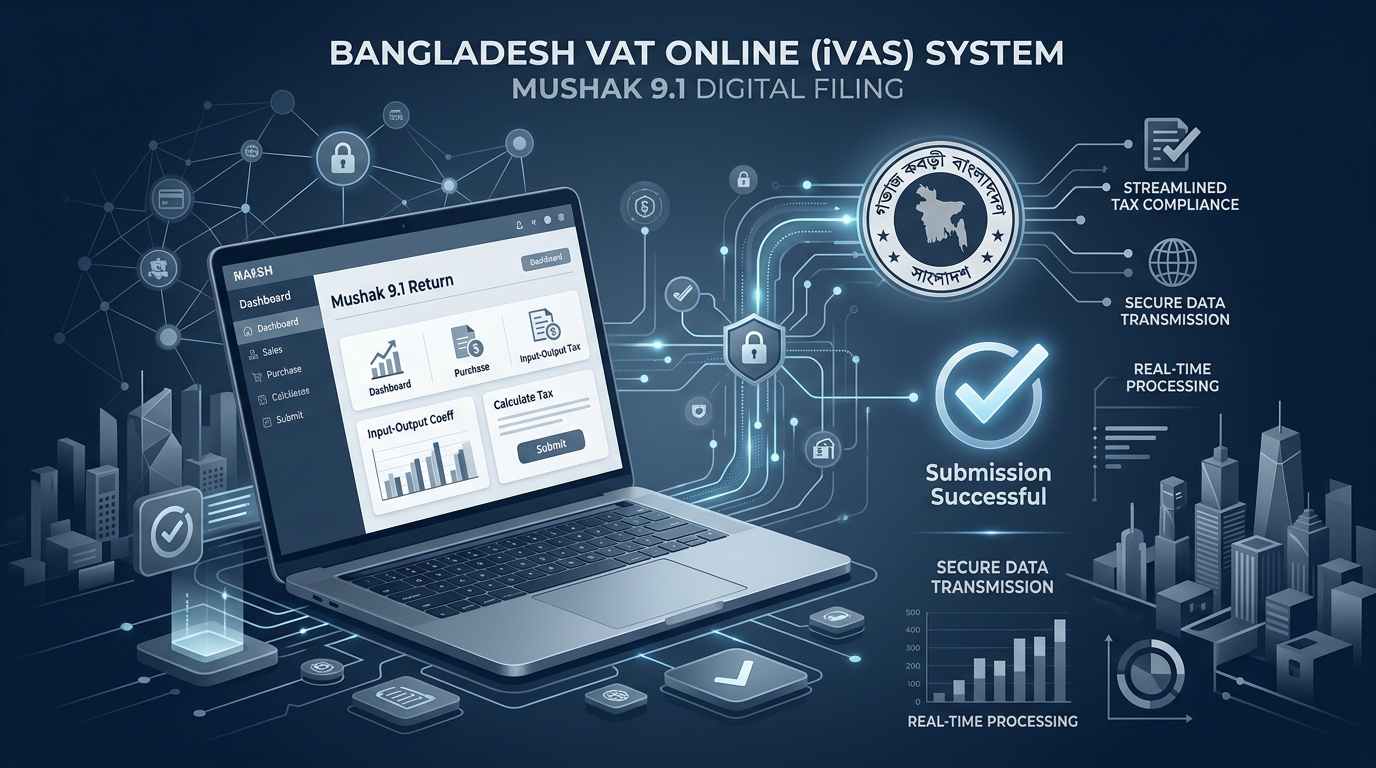
The VAT online system — formally known as the Integrated VAT Administration System (iVAS) — is the National Board of Revenue’s (NBR’s) centralised digital platform for all VAT-related activities. It is accessible at vat.gov.bd.
The system was developed as part of the VAT Improvement Program (VAT Online Project), a World Bank-funded initiative approved by the Government of Bangladesh in 2014. Its goal was to restructure Bangladesh’s VAT administration by replacing outdated manual processes with a unified digital platform that connects:
- 287 VAT Circle Offices
- 84 Divisional Offices
- 12 VAT Commissionerates
- 2 Directorates
- 3 Appeal Commissionerates
- The VAT Tribunal
The VAT online portal is integrated with Bangladesh Bank, the Office of the Comptroller and Auditor General (CGA), and the NBR’s income tax department — creating a comprehensive cross-agency financial visibility system for Bangladesh’s government.
What Is iVAS?
iVAS stands for Integrated VAT Administration System. It is the backend engine that powers everything on the VAT online portal. When practitioners and accountants in Bangladesh refer to “iVAS,” they mean the full suite of digital VAT services that include:
- eBIN (electronic Business Identification Number) registration
- VAT eFiling (Mushak 9.1 monthly return)
- VAT eAppeal
- VAT Calculator
- VAT Central Processing Centre (CPC)
- VAT Agent and VAT Adviser registration
- Input tax credit management
In short, iVAS is the system, and vat.gov.bd is the door through which you access it. Understanding this distinction helps when troubleshooting access issues — the iVAS Taxpayer Online Services (TPOS) module is the specific section of the portal used for business accounts.
How to Register for a VAT Online Account
Before you can log in to the VAT online portal, you must first register as a user. Here is the step-by-step process:
Step 1 — Visit vat.gov.bd Go to the official NBR VAT portal: www.vat.gov.bd. Look for the Taxpayer Online Services section or the “Sign-Up” link.
Step 2 — Sign Up Click the Sign-Up or Register link. You will be asked to provide:
- Your business email address
- A valid mobile number (for OTP verification)
- Your BIN (Business Identification Number) — if you already have one
- Basic business details
After successful registration, you will receive your Username and Password via email.
Step 3 — Activate Your Account Check your email for the activation link. Click it to activate your VAT online account. If you do not receive the email, check your spam folder or contact the VAT Central Processing Centre.
Step 4 — First Login and Password Change Go to the login page on vat.gov.bd. Enter your username and password. Complete the CAPTCHA verification. On your first login, the iVAS system will require you to change your password immediately. Enter your old password, then your new password, confirm it, and complete the CAPTCHA again.
After the first password change, the main iVAS TPOS dashboard will be displayed — your home base for all VAT online activities.
How to Log In to VAT Online (vat.gov.bd)
Once registered, logging in to the VAT online system is straightforward:
- Visit: www.vat.gov.bd
- Click “Login” in the navigation area
- Enter your Username and Password
- Complete the CAPTCHA
- Click “Login”
If you have forgotten your password: Use the “Forgot Password” function on the login page. You will be sent a reset link to your registered email address.
Common login issues:
- CAPTCHA errors: Refresh the CAPTCHA and try again
- Account locked: Contact the VAT CPC (Central Processing Centre)
- System maintenance: The VAT online portal undergoes scheduled maintenance — check the NBR website for maintenance windows (for reference, a maintenance window ran 22–23 January 2026)
- Browser issues: The iVAS portal works best on updated versions of Chrome or Firefox; clear your cache if you experience loading problems
Expert Note — Md Rakib Hassan: From my experience dealing with VAT compliance queries for multinational clients operating in Bangladesh, the most common frustration with the VAT online portal is poor connectivity during peak periods — particularly in the 48–72 hours before monthly return filing deadlines. Always file early. The system slows noticeably around the 13th–15th of each month. Submit your Mushak 9.1 by the 12th at the latest.
What Can You Do on the VAT Online Portal?
Once logged in to vat.gov.bd, a VAT-registered business can access the following core services:
eBIN Registration and Management Apply for a new BIN (Business Identification Number), update existing business details, add new business locations, and download your VAT Registration Certificate (Mushak 2.3).
VAT eFiling File your monthly VAT return — Mushak 9.1 — electronically. This must be completed by the 15th of the following month for every tax period, even if your turnover was zero.
VAT Payment Pay your net VAT liability online. The VAT online payment system is integrated with the NBR-Sonali Bank e-payment portal. You can pay via bank transfer, debit/credit card, or mobile financial services (bKash, Rocket).
VAT Online Challan Generate your VAT payment challan online before or after payment. The challan is your official proof of VAT payment and is needed for return filing reconciliation and audit purposes.
VAT eAppeal If you disagree with a VAT assessment or penalty, the VAT online portal allows you to submit appeals electronically to the VAT Appeal Commissionerate without visiting a physical office.
VAT Calculator The NBR’s integrated VAT calculator is accessible through the portal and directly from nbr.gov.bd/e-services/vatcalculator. It helps you calculate the VAT due on standard-rated and reduced-rated supplies.
VAT Agent/Adviser Registration Tax professionals who wish to register as authorised VAT agents or VAT advisers can apply through the portal.
Input Tax Credit (ITC) Management Track and manage your input VAT claims — the VAT paid on your business purchases that can be offset against your output VAT liability.
How to Pay VAT Online in Bangladesh
Paying your VAT liability through the VAT online portal follows this process:
Step 1: Log in to vat.gov.bd and navigate to your monthly VAT return (Mushak 9.1) Step 2: Complete your return — enter output VAT, input VAT credits, and calculate net VAT payable Step 3: The system will display your net liability. Click “Pay” or navigate to the VAT payment section Step 4: You will be directed to the NBR-Sonali Bank e-payment gateway (nbr.sblesheba.com) Step 5: Select your payment method:
- Sonali Bank account transfer
- Sonali Bank debit/credit card
- Other bank debit/credit card (VISA, Mastercard, American Express, DBBL Nexus)
- bKash
- Rocket (Nagad availability may vary) Step 6: Complete the payment. Download and save your VAT online challan receipt immediately
For VAT payment problems, the helpline is: epaysupport@vat.gov.bd or hotline 16555.
Monthly VAT Return Filing: Key Deadlines and Forms
Under the VAT and Supplementary Duty Act 2012, all VAT-registered businesses in Bangladesh must file monthly returns through the VAT online portal. The critical forms are:
Mushak 9.1 — Monthly VAT Return Must be filed by the 15th day of the following month for every tax period. Even if you had zero transactions in the month, you must still file a nil return. Failure to file attracts:
- A penalty of BDT 10,000 per month
- Additional interest on the payable amount
Key Record Books Required:
- Mushak 6.1 — Purchase Account Book
- Mushak 6.2 — Sales Account Book
- Mushak 6.3 — Tax Invoice (issued to customers for every sale)
All VAT records must be preserved for a minimum of 5 years and must be available for inspection at any time by VAT officers.
VAT Rates in Bangladesh (2026)
Understanding the rate structure is fundamental to accurate VAT online filing. Bangladesh operates a multi-tier VAT structure under the VAT and Supplementary Duty Act 2012:
Standard Rate — 15% Applied to the majority of goods, services, and imports. The only rate that allows businesses to claim Input Tax Credits (ITC).
Reduced Rates
- 10% — Applied to certain goods and services
- 7.5% — Applied to certain categories
- 5% — Applied to traders (retail stage)
- 4.5% — Specific categories
- 2.4% — Supply of medicine
- 2% — Diesel, kerosene, octane, petrol, furnace oil, LP gas
- 1.5% — Specific categories
Turnover Tax — 4% Businesses with annual turnover between BDT 30 lakh and BDT 50 lakh may enlist for turnover tax at 4% (note: the registration threshold was revised by ordinance in January 2025 — businesses above BDT 50 lakh must now obtain full VAT registration).
Zero Rate — 0% Applicable to exports and deemed exports. Zero-rated supplies allow full input tax credit recovery.
Exemptions Essential items including unprocessed food, life-saving medicines, and public transport are VAT-exempt. The VAT exemption on Metro Rail services has been extended until June 30, 2026.
Supplementary Duty (SD) In addition to VAT, supplementary duty ranging from 5% to 500% applies to specific goods and services listed in the Second Schedule of the VAT Act — including cigarettes, luxury items, and certain motor vehicles.
VAT Deduction at Source (VDS) — 2025/26 Update
Many businesses in Bangladesh are also required to act as VAT withholding entities — deducting VAT at source when making payments to suppliers. Under the VDS Rules 2025, mandatory withholding applies to:
- All government ministries, departments, and offices
- Autonomous bodies and statutory corporations
- Banks, insurance companies, and financial institutions
- NGOs approved by the NGO Affairs Bureau
VDS is triggered at the time of payment (not invoice recording). The deducted VAT must be deposited into the treasury and a certificate issued to the supplier. Failure to comply triggers penalties under Section 49 of the VAT Act.
Penalties for Non-Compliance with VAT Online Obligations
The VAT and Supplementary Duty Act 2012 carries significant penalties for non-compliance:
- Failure to register when required — Fine up to BDT 50,000
- Late filing of VAT returns — BDT 10,000 per month plus daily fines and interest
- Filing false returns — Penalties up to BDT 100,000 and potential criminal prosecution
- Non-payment of VAT — 2% interest per month on outstanding amount
- Invalid Mushak 6.3 invoice (missing BIN) — BDT 10,000 penalty; buyer loses input tax credit rights
From Practice — Md Rakib Hassan: In every VAT audit I have managed or contested in Bangladesh, the most common triggers are: (1) input tax credit claims against invoices with invalid or 9/11-digit BINs, (2) nil return non-filing, and (3) misclassification of supplies between standard-rated and reduced-rated categories. All three are entirely avoidable with proper use of the VAT online portal and accurate monthly filing.
Quick Reference: VAT Online Bangladesh
| Item | Detail |
|---|---|
| Official Portal | vat.gov.bd |
| System Name | iVAS (Integrated VAT Administration System) |
| Monthly Return | Mushak 9.1 — due by 15th of following month |
| Tax Invoice | Mushak 6.3 — required for every sale |
| Standard VAT Rate | 15% |
| e-Payment Gateway | nbr.sblesheba.com |
| VAT Payment Helpline | 16555 |
| VAT Payment Email | epaysupport@vat.gov.bd |
| NBR VAT Services | nbr.gov.bd/taxtypes/vat-eservices/eng |
| Turnover Tax Rate | 4% (BDT 30 lakh–50 lakh turnover) |
Frequently Asked Questions
Q1. What is the official URL for VAT online Bangladesh? The primary portal is www.vat.gov.bd. The NBR’s VAT e-services page is also accessible at nbr.gov.bd.
Q2. Is there a VAT online mobile app? There is no dedicated VAT online mobile app currently. The portal is browser-based. Use Chrome or Firefox on desktop for the best experience.
Q3. What is the difference between VAT online and iVAS? iVAS (Integrated VAT Administration System) is the system. vat.gov.bd is the portal through which you access it. They refer to the same platform.
Q4. Can I file VAT returns even if I had no sales that month? Yes — you are required to file a nil Mushak 9.1 return by the 15th of the following month even if you had zero transactions. Failing to file a nil return still attracts a BDT 10,000 penalty.
Q5. What if I cannot log in to vat.gov.bd? Try clearing your browser cache, switching browsers, or resetting your password. If the issue persists, contact the VAT CPC. The portal may also be temporarily unavailable during scheduled maintenance windows.
Final Thoughts
The VAT online portal at vat.gov.bd has meaningfully digitalised Bangladesh’s indirect tax system. For businesses that engage with it correctly — registering on time, filing monthly, paying on schedule, and using valid Mushak 6.3 invoices in all transactions — the system rewards compliance with speed and efficiency.
The risk sits at the boundary of the system: businesses that rely on old 9 or 11-digit BINs, delay monthly filings, or misclassify supply rates accumulate penalties that compound quickly. My practical advice is this: invest in proper VAT online training for your accounts team, set a fixed internal deadline of the 12th of each month for return preparation, and never miss a nil filing. In VAT compliance, regularity protects you more than perfection.
This article is informational and reflects VAT law and portal functionality as understood in 2026. Consult the NBR website (nbr.gov.bd or vat.gov.bd) or a registered VAT practitioner for advice specific to your business.
Leave a Reply
You must be logged in to post a comment.