Written by Md Rakib Hassan — Income Tax Practitioner with 10+ years of tax compliance and audit experience across Bangladesh and the UK. Former accounts manager at a UK chartered accounting firm managing 1,000+ clients, with direct experience resolving multi-year tax audit disputes with HMRC and the NBR. Currently Finance Controller at a UK-based multinational tech group.
Introduction
If you are a taxpayer in Bangladesh and you have ever stood in a long queue at a Sonali Bank branch just to deposit your income tax — those days are now behind you. The e Challan BD system has fundamentally changed how Bangladeshis pay government taxes, duties, and fees. From income tax to VAT, from customs duty to passport fees, the e Challan BD platform lets you pay everything digitally — from your office desk, your home, or even your phone.
In this 2026 guide, I will walk you through exactly what e Challan BD is, how it works, how to use it step by step, and — drawing on my decade of tax compliance experience across Bangladesh and the UK — the critical mistakes you absolutely must avoid.
What Is e Challan BD?
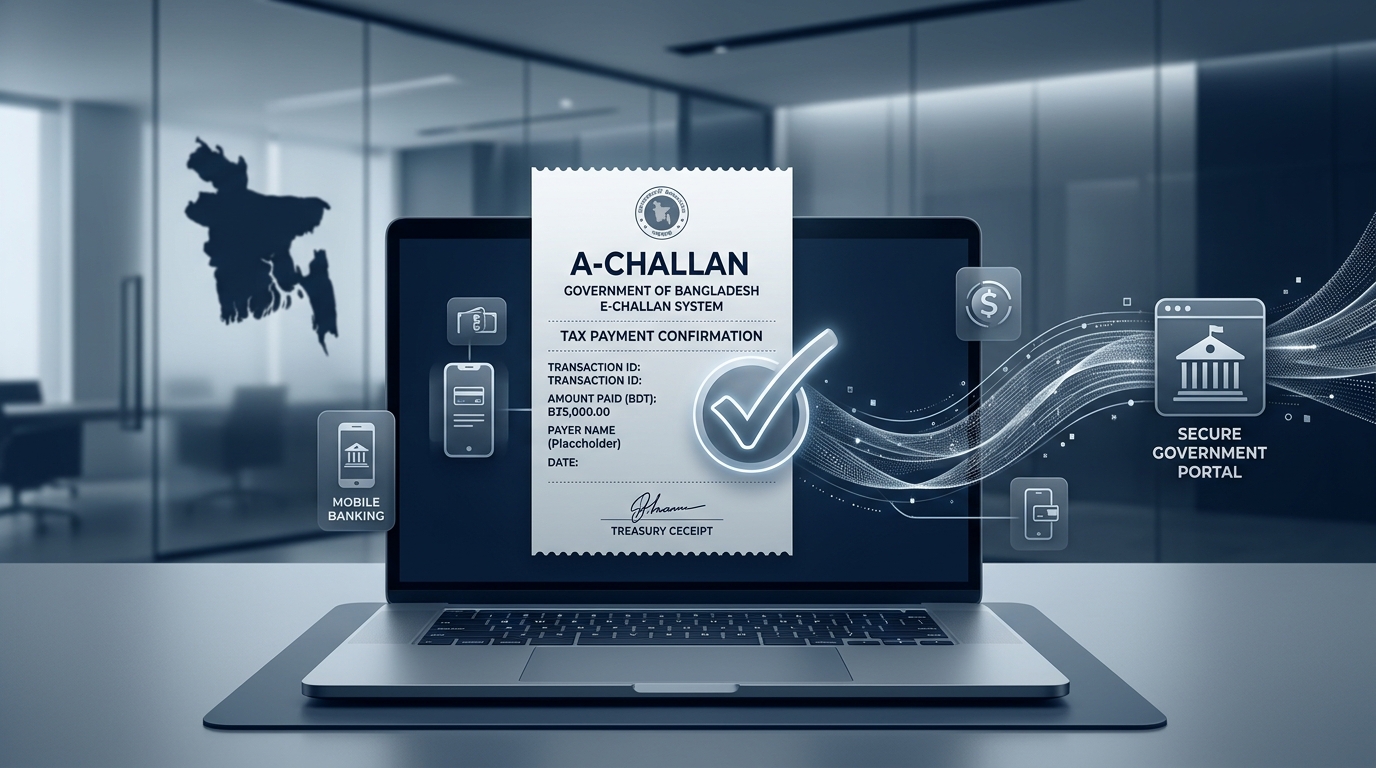
e Challan BD refers to the electronic treasury challan system introduced by the Government of Bangladesh to digitalise government revenue collection. Traditionally, taxpayers in Bangladesh had to visit specific branches of Bangladesh Bank or Sonali Bank to deposit taxes via a physical challan (a paper receipt). The e Challan BD system replaces this paper-based process with a secure online alternative.
There are currently two closely related platforms operating under the e Challan BD umbrella:
1. The NBR-Sonali Bank e-Payment Portal (nbr.sblesheba.com / nbrepayment.gov.bd) This is the National Board of Revenue’s integrated e-payment gateway for income tax, VAT, customs duty, and bond payments — all powered by Sonali Bank PLC.
2. The Automated Challan System — A-Challan (ibas.finance.gov.bd/acs) This is a broader government platform developed by the Finance Division under the iBAS++ framework. It covers 196 types of government fees, taxes, and levies — far beyond just NBR taxes.
Both are essential for compliance, and understanding which one to use for your specific payment type is the first step.
Why e Challan BD Matters in 2026
The NBR has made mandatory e-filing of income tax returns applicable to all individual taxpayers for Assessment Year 2025/26, effective from 4 August 2025. This means that if you are filing your income tax return digitally through the NBR’s e-Return portal (etaxnbr.gov.bd), your tax payment must also follow through a digital channel — that is, via e Challan BD or the A-Challan system.
Beyond individual taxpayers, the NBR launched the A-Challan system for customs duty payments at Chattogram Customs House in July 2025, with a nationwide rollout beginning on 7 July 2025. The scale of adoption has been remarkable: on the very first day of Chattogram’s go-live, duty payments totalling approximately Tk 1.3 billion were processed against 75 bill entries through the digital challan system alone.
This is not a future system. This is the system running right now, and you need to be on it.
Who Must Use e Challan BD?
You are required to use e Challan BD or the A-Challan system if you fall into any of the following categories:
Individual Income Taxpayers — If you are an individual with a TIN and are required to file an income tax return for AY 2025/26, you must file electronically and pay via the digital challan system. Exceptions apply only for taxpayers aged 65 or above, those with recognised disabilities, Bangladeshi nationals residing abroad, legal representatives filing for deceased taxpayers, and foreign nationals working in Bangladesh.
Business Owners and VAT Registrants — Businesses with a Business Identification Number (BIN) must pay VAT online through the NBR e-payment portal.
Importers, Exporters, and C&F Agents — All customs duty payments for import and export transactions are now being migrated to the A-Challan system, integrated with the ASYCUDA World customs management software.
Advance Tax Payers — If your total assessed income in the last year exceeded BDT 600,000, you are required to pay advance tax in four instalments during the financial year (by 15 September, 15 December, 15 March, and 15 June). Each instalment must be paid via the e Challan BD portal.
What Taxes Can You Pay via e Challan BD?
The e Challan BD ecosystem currently covers the following payment categories:
Through the NBR-Sonali Bank Portal:
- Individual income tax (self, authorised representatives, deducting authorities, and others)
- Corporate income tax
- VAT (Value Added Tax)
- Customs duty
- Bond payments
Through the A-Challan System (iBAS++):
- All of the above plus 196 types of government fees and levies
- Land registration fees
- Vehicle registration fees
- MRP Passport fees
- Various ministry and department-specific fees
Step-by-Step Guide: How to Pay Tax Using e Challan BD
For Income Tax (via NBR-Sonali Bank Portal)
Step 1 — Log In to Your NBR Profile Visit nbrepayment.gov.bd or nbr.sblesheba.com. Log in using your TIN (Tax Identification Number) and registered credentials. If you do not have a TIN, register at secure.incometax.gov.bd first.
Step 2 — Navigate to Tax Payment Click on the e-Payment link, go to “Income Tax,” and click “Pay Income Tax Online.” Your TIN and name will auto-populate from your profile.
Step 3 — Enter Payment Details Select your Taxes Zone, Taxes Circle, tax type, and tax section. The account code will generate automatically. Enter your Assessment Year (for example, for income earned between July 2024 and June 2025, the Assessment Year is 2025-26). Enter the amount in BDT and your personal details.
Step 4 — Recheck and Submit This step is critical. Once you click Submit and proceed to the Sonali Bank payment gateway, you cannot come back to edit your information. Double-check every field — your TIN, assessment year, tax zone, and amount — before proceeding.
Step 5 — Select Payment Method Choose from the available payment methods:
- Sonali Bank account transfer
- Sonali Bank prepaid, debit, or credit card
- Any bank debit or credit card via Q-Cash
- Mobile Financial Services: bKash or Rocket (Nagad availability may vary)
Step 6 — Complete Payment and Download Your e Challan After successful payment, a final e Challan BD receipt is generated. Print it, save it as a PDF, or email it to yourself. This challan is your official proof of tax payment and must be retained for your records, tax return filing, and any future audit defence.
Expert Note from Md Rakib Hassan: In my experience handling audit disputes with the NBR, the most common problem taxpayers face is not the payment itself — it is losing the challan receipt or not saving the transaction number. Always save your e Challan BD receipt to cloud storage the moment payment completes. If you face any challan delivery failure after payment, contact NBR support at support@nbr.gov.bd or call the hotline 09611-777111 with your TIN, transaction number, date, and amount.
Payment Methods Accepted by e Challan BD
The e Challan BD portal accepts a wide range of payment methods, making it genuinely accessible for most taxpayers:
- Sonali Bank Account Transfer — Direct transfer from your Sonali Bank account
- Sonali Bank Cards — Prepaid, debit, and credit cards issued by Sonali Bank
- Any Debit or Credit Card — DBBL Nexus, VISA, Mastercard, American Express (via Q-Cash gateway; you may need to enable e-commerce transactions with your bank first)
- bKash — Mobile financial service payment
- Rocket (DBBL) — Mobile financial service payment
- RTGS via Bangladesh Bank — For large institutional payments
Important: If your card payment fails at the gateway, check with your bank whether internet/e-commerce transactions are enabled on your card. Many bank cards in Bangladesh have e-commerce transactions disabled by default.
How to Verify Your e Challan BD Payment
After making a payment, you can verify the authenticity of your treasury challan online. The Finance Division of the Ministry of Finance operates a dedicated Online Challan Verification portal at challanverification.finance.gov.bd/echalan/. Enter your challan number and the relevant details to confirm that your payment has been properly recorded in the government treasury.
This verification step is particularly important for:
- TDS certificate claims in your income tax return
- Customs clearance documentation
- Audit evidence if your tax return is selected for scrutiny
Common Mistakes to Avoid When Using e Challan BD
Drawing on over a decade of tax compliance work and audit dispute resolution experience, here are the mistakes I see most frequently — and how to avoid them:
Mistake 1 — Wrong Assessment Year Many taxpayers confuse the income year with the assessment year. For income earned between July 2024 and June 2025, the assessment year is 2025-26, not 2024-25. Entering the wrong assessment year on your e Challan BD payment is a serious error that cannot be corrected after submission.
Mistake 2 — Wrong Tax Zone or Circle Your tax payment must be directed to your correct Taxes Zone and Taxes Circle — the division under which your TIN is registered. Payments sent to the wrong circle create reconciliation problems during assessment.
Mistake 3 — Not Saving the Receipt Once your session ends, the receipt may not be easily retrievable from the portal. Save the e Challan BD receipt immediately. Email it to yourself. Store it in Google Drive or similar. This is your legal proof of payment.
Mistake 4 — Session Timeout During Card Entry The Q-Cash card payment page has a very short session timeout. Have your card details ready before clicking into the payment gateway. Do not leave the page idle.
Mistake 5 — Paying via the Wrong Portal Customs duty payers should use the A-Challan system integrated with ASYCUDA World, not the income tax portal. Using the wrong portal means your payment does not get correctly credited against your duty liability.
Mistake 6 — No TIN Before Paying You cannot use the e Challan BD income tax payment system without a valid TIN. Register your TIN at secure.incometax.gov.bd before attempting any tax payment.
A-Challan vs e Challan BD: What Is the Difference?
This is a question I frequently receive from clients. Here is a clear breakdown:
| Feature | e Challan BD (NBR Portal) | A-Challan (iBAS++) |
|---|---|---|
| Operated By | NBR + Sonali Bank | Finance Division (iBAS++) |
| Primary Use | Income Tax, VAT, Customs | 196+ government fees & taxes |
| Integration | NBR e-Return, VAT system | ASYCUDA World, iBAS++ |
| Customs Duty | Available | Primary channel from July 2025 |
| Passport Fees | Not available | Available |
| Download App | No | Yes — AChallan App |
For most individual income taxpayers, the NBR-Sonali Bank portal remains the primary e Challan BD channel. For businesses handling customs, the A-Challan system through iBAS++ is increasingly the mandated route.
e Challan BD for VAT Payments
If you are a VAT-registered business, the process on the e Challan BD portal is slightly different from income tax. Navigate to the VAT section and click “Pay VAT Online.” Your TIN, name, and business name will auto-populate. Enter your BIN (Business Identification Number), revenue type, and the VAT Office where you want to make the payment. If your specific VAT payment type is not listed, select “Other VAT.”
For VAT-related payment problems, the dedicated helpline is epaysupport@vat.gov.bd or call 16555.
e Challan BD for Advance Tax Instalments
If your last assessed income exceeded BDT 600,000, advance tax is mandatory under the Income Tax Act 2023. Each instalment must be paid through the e Challan BD system, and you will need to record the challan number or transaction ID when filing your annual e-Return.
The four advance tax instalment deadlines are:
- 15 September — 25% of estimated annual tax liability
- 15 December — 25% of estimated annual tax liability
- 15 March — 25% of estimated annual tax liability
- 15 June — 25% of estimated annual tax liability
Late advance tax payment carries interest consequences that compound into your final tax assessment. Do not miss these dates.
NBR Support Contacts for e Challan BD Issues
If you encounter any problem with the e Challan BD system after payment — for instance, the challan does not arrive by email — you need to contact support with specific information. For income tax payment issues:
- Email: support@nbr.gov.bd
- Hotline: 09611-777111
- Required Information: TIN number, taxpayer name, email address, transaction number, transaction date, transaction amount, and payment method used
For VAT payment issues:
- Email: epaysupport@vat.gov.bd
- Hotline: 16555
For A-Challan (iBAS++) issues, contact the A-Challan Help Desk — the number is listed on the NBR website.
Final Thoughts: My Professional Recommendation
Having worked on both the HMRC compliance side in the UK and the NBR audit landscape in Bangladesh, I can say with confidence that digital tax payment systems — when used correctly — significantly reduce the risk of administrative disputes. The e Challan BD system is a genuine step forward for Bangladesh’s tax infrastructure.
However, the system still has friction points. Card-enabling requirements, session timeouts, and the distinction between the NBR portal and the A-Challan system continue to confuse many taxpayers. My practical advice:
Use the e Challan BD system as early as possible — never wait until the deadline week. Keep a scanned or digital copy of every challan. And if you are ever in a tax audit, those challan receipts are the single most important documents you will need.
If you are unsure which portal to use, what amount to pay, or how to claim your challan credit in your e-Return, consult a registered income tax practitioner before proceeding. The cost of getting it wrong is always higher than the cost of getting professional advice.
Frequently Asked Questions (FAQ)
What is the official website for e Challan BD? The NBR income tax e-payment portal is at nbr.sblesheba.com or nbrepayment.gov.bd. The government’s broader e-challan portal is at echallan.gov.bd, and the A-Challan system is at ibas.finance.gov.bd/acs.
Can I pay income tax via bKash using e Challan BD? Yes. The NBR-Sonali Bank portal accepts bKash and Rocket as mobile financial service payment options.
What if I entered the wrong assessment year on my e Challan BD? You cannot edit or correct information after payment is submitted. This is a serious error. Contact your Tax Circle immediately and provide the challan receipt with the error noted. Resolution may require a formal application to your Deputy Commissioner of Taxes.
Do I need a TIN to use e Challan BD? Yes. A valid TIN is required for income tax and VAT payments through the e Challan BD portal.
How do I verify that my e Challan BD payment reached the treasury? Use the Online Challan Verification portal at challanverification.finance.gov.bd/echalan/ using your challan number.
Is e Challan BD available 24/7? The system is generally available around the clock, but scheduled maintenance and high-traffic periods (especially near tax deadlines) can cause slowdowns. Plan payments several days before any deadline.
This article is for informational purposes only and reflects the law and system as understood in 2026. Tax rules and portal features may change. Always consult the NBR website or a registered tax practitioner for advice specific to your situation.
Leave a Reply
You must be logged in to post a comment.