Introduction
Paying your income tax in Bangladesh used to mean a trip to Sonali Bank, a physical challan form, a queue, and hoping the cashier stamped the right column. That experience is now largely in the past.
The NBR’s e-payment system allows you to pay income tax, advance tax, and VAT online — directly from your bank account or mobile wallet — in minutes, from anywhere. No queuing, no paper challan hunting, no lost receipts.
Yet despite the system being available for several years, a significant number of taxpayers and business owners in Bangladesh are still either unaware of it or unsure how it works. Searches for epayment — and the commonly typed variant epament — consistently spike every year around the November tax deadline and quarterly advance tax dates.
This guide explains exactly what the NBR e-payment system is, who can use it, which payment channels are available, and precisely how to make a payment — step by step.
What Is NBR e-Payment?
NBR e-payment is the electronic tax payment system operated by the National Board of Revenue (NBR) of Bangladesh. It allows taxpayers — individuals and companies alike — to pay their tax dues online through a network of partner banks and mobile financial services (MFS), without needing to visit a bank branch physically.
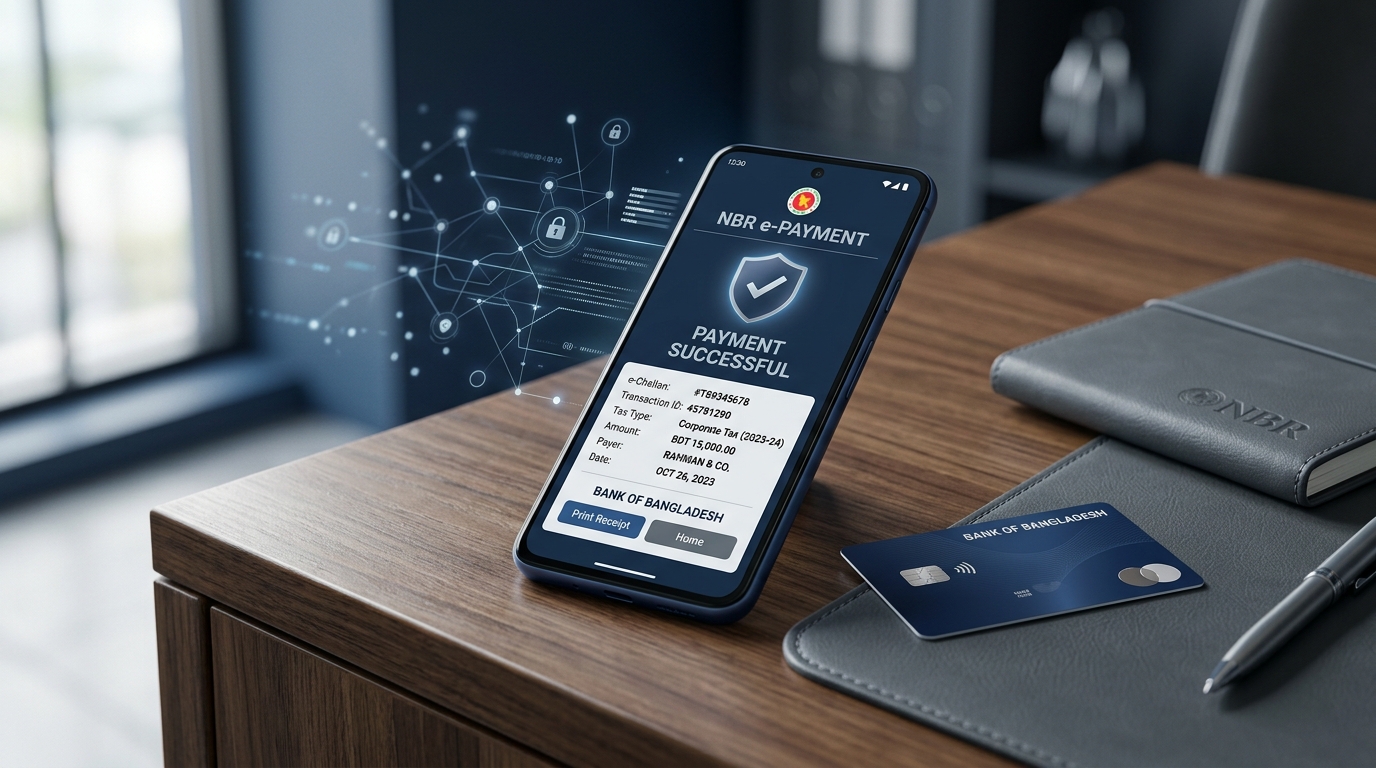
The system generates an electronic payment receipt (e-challan) that serves as official proof of payment and is linked to your TIN in the NBR’s database.
NBR e-payment can be used to pay:
- Income tax (final settlement at the time of return submission)
- Advance income tax (quarterly instalments for businesses and high-income individuals)
- Tax deducted at source (TDS) — deposited by employers and businesses on behalf of payees
- VAT (Value Added Tax) — monthly VAT payments by VAT-registered businesses
- Penalty or surcharge payments — in case of late filing or assessment orders
Who Can Use NBR e-Payment?
Any taxpayer with a valid TIN and access to online banking or a mobile financial service can use the NBR e-payment system. This includes:
- Individual taxpayers paying their annual income tax
- Salaried employees whose employers deduct TDS and need to deposit it
- Businesses making advance income tax payments
- VAT-registered businesses making monthly VAT payments (Mushak submissions)
- Companies paying corporate income tax
There is no registration required specifically for e-payment — your existing e-TIN account credentials and a linked bank or MFS account are sufficient.
NBR e-Payment Channels: Your Options
The NBR has integrated its e-payment system with multiple banks and mobile financial services (MFS). Here are the main channels currently available:
Internet Banking (A-Challan System)
The NBR’s A-Challan (Automated Challan) system allows direct payment via internet banking. Partner banks include:
- Sonali Bank (government treasury — the primary channel)
- Dutch-Bangla Bank
- Islami Bank Bangladesh
- BRAC Bank
- Prime Bank
- Mutual Trust Bank
- Eastern Bank
- Mercantile Bank
- City Bank
- One Bank
- Standard Bank
- Trust Bank
- Modhumoti Bank
If your bank is on this list and offers internet banking, you can make e-payment directly from your online banking portal.
Mobile Financial Services (MFS)
For taxpayers without internet banking access, several mobile wallet platforms support NBR e-payment:
- bKash — the most widely used MFS in Bangladesh
- Nagad — supported for tax payments
- Rocket (Dutch-Bangla Mobile Banking)
Mobile e-payment is particularly useful for individual taxpayers with straightforward income tax payments, as it requires no bank account — only a registered mobile wallet.
Bank Branch (Physical A-Challan)
For taxpayers who prefer to pay in person, the A-Challan number generated online can be taken to any Sonali Bank branch for physical payment. The teller processes the payment using the challan number, and the receipt is generated electronically in the NBR system. This hybrid approach means no manually handwritten challan is needed even for in-person payments.
How to Make an NBR e-Payment: Step-by-Step Guide
Method 1 — Through the NBR e-Tax Portal (Recommended)
Step 1 — Log In to the Portal
Go to https://etaxnbr.gov.bd and log in with your username and password.
Step 2 — Navigate to the Payment Section
From your dashboard, click “Pay Tax” or “e-Payment”. The portal will display your current tax obligations based on your TIN and income year.
Step 3 — Select the Payment Type
Choose the type of payment you are making:
- Income Tax Return Payment
- Advance Income Tax
- TDS Deposit (for businesses)
- VAT Payment
Step 4 — Enter Payment Details
- Income year and assessment year
- Amount to be paid
- Payment method (bank or MFS)
The system generates a unique A-Challan number for your transaction.
Step 5 — Complete Payment via Your Bank or MFS
Depending on your chosen method:
- Internet banking: You will be redirected to your bank’s secure payment gateway. Log in, confirm the amount, and authorise the payment.
- bKash / Nagad / Rocket: Select the MFS option, enter your mobile number, and follow the OTP-based authorisation steps in your app.
Step 6 — Download Your Payment Receipt (e-Challan)
Once payment is confirmed, return to the NBR portal and download your e-payment receipt. This receipt contains:
- Your TIN
- Challan number
- Payment date
- Amount paid
- Tax head (income tax, VAT, etc.)
- Bank or MFS reference number
Save this receipt. It is required when completing your tax return submission and may be requested during any future tax assessment.
Method 2 — Paying Advance Tax via e-Payment
Businesses and individuals with annual income above certain thresholds must pay advance income tax in quarterly instalments. The e-payment process is the same, but the payment type selected is “Advance Tax” and the relevant quarter must be specified.
Advance tax quarters for income year 2024–25:
| Quarter | Due Date |
|---|---|
| Q1 (July–September) | 15 September |
| Q2 (October–December) | 15 December |
| Q3 (January–March) | 15 March |
| Q4 (April–June) | 15 June |
Missing a quarterly advance tax payment triggers interest charges at the standard rate, so setting calendar reminders for these dates is strongly recommended.
Method 3 — TDS Deposit via e-Payment (For Employers and Businesses)
If your company deducts TDS (Tax Deducted at Source) from employee salaries, vendor payments, or other applicable transactions, that deducted amount must be deposited with the NBR by the 7th of the following month.
The e-payment process for TDS deposits follows the same portal flow — select “TDS Deposit” as the payment type, enter the relevant tax head, period, and amount, and complete payment through your corporate internet banking.
Maintaining a monthly schedule for TDS e-payment is a compliance non-negotiable. Late TDS deposits attract interest, and repeated delays can trigger audit attention from the tax circle.
Method 4 — VAT Payment via e-Payment
VAT-registered businesses in Bangladesh must submit monthly Mushak returns and pay VAT due by the 15th of the following month. The NBR e-payment system supports VAT payments under the relevant VAT head code.
Select “VAT” as the payment category, enter your BIN (Business Identification Number), the tax period, and the VAT amount. The system generates a VAT-specific challan.
This is particularly important for businesses I have worked with that manage multi-entity VAT compliance — having a digital trail of every e-payment challan makes reconciliation and audit preparation vastly more efficient than physical challan management.
How to Track or Verify an e-Payment
If you need to verify whether a payment has been recorded in the NBR system:
- Log in to https://etaxnbr.gov.bd
- Go to “Payment History” or “Challan Verification”
- Enter your challan number or search by date range
- The system will show the payment status and confirmation details
This is particularly useful if a payment was made but the receipt was not downloaded immediately, or if there is a discrepancy between your bank statement and the NBR record.
What Is a Challan Number and Why Does It Matter?
The challan number (or A-Challan number) is the unique reference generated by the NBR e-payment system for every transaction. Think of it as your payment’s tracking ID.
You will need the challan number when:
- Completing your income tax return (enter the challan number in the payment section of your return)
- Responding to any NBR queries about payment status
- Reconciling your company’s TDS or VAT payment records
Never discard or lose your challan confirmation. If you paid through bKash or Nagad, screenshot the confirmation immediately. If you paid through internet banking, download the bank receipt alongside the NBR e-challan.
Common e-Payment Issues and How to Fix Them
Payment Made but Not Reflected on NBR Portal
This is the most common complaint. The NBR system can take 24–48 hours to reflect payments made through some bank channels. Do not panic and make a duplicate payment. Wait 48 hours and check the payment history again.
If the payment still does not appear after 48 hours:
- Check your bank statement to confirm the debit occurred
- Note the bank transaction reference number
- Contact your bank’s internet banking helpdesk and the NBR helpline with both the challan number and bank reference
Payment Gateway Timeout During Transaction
If the page times out after you authorised payment at your bank but before you returned to the NBR portal:
- Do not immediately retry — check your bank account first
- If the debit occurred, the challan should eventually appear in your NBR payment history
- If no debit occurred, you can safely retry the e-payment
Wrong Tax Head or Year Selected
If you made an e-payment under the wrong income year or tax category, this requires correction through your local tax circle office. Bring the challan receipt, a written request for adjustment, and supporting documents. Prevention is far easier — double-check the year and payment category before confirming payment.
MFS Payment Failing (bKash / Nagad)
- Ensure your mobile wallet balance is sufficient (including any applicable service charge)
- Check that your MFS account is KYC-verified and not transaction-limited
- Try an alternative payment method if the issue persists
e-Payment for Non-Resident Bangladeshis (NRBs)
NRBs with Bangladesh-sourced income can make e-payment using international bank transfers to NBR’s designated accounts, or through a local authorised representative with internet banking access.
For NRBs with significant Bangladesh income — rental properties, business interests, or investment returns — setting up a local representative arrangement for NBR compliance (including e-payment and return filing) avoids compliance gaps that compound over time.
Frequently Asked Questions
What is the NBR e-payment portal link? The official portal is https://etaxnbr.gov.bd. All NBR e-payment, e-TIN, and e-return services are accessible through this unified platform.
I searched for “epament” and landed here — is this the right place? Yes. “Epament” is a common misspelling of “e-payment” — both refer to the same NBR online tax payment system described in this guide.
Is there a fee for using NBR e-payment? There is no government fee for the e-payment service itself. However, some banks or mobile financial services may charge a small transaction processing fee — check with your provider.
Can I pay my tax through bKash? Yes. bKash supports NBR e-payment for income tax. The payment option is available through the bKash app under the “Pay Bill” or “Government Payment” section.
Do I need to submit a physical challan after making e-payment? No. The electronic challan generated by the NBR e-payment system is fully valid. Physical challan forms are only required if paying in cash at a bank branch using the hybrid A-Challan method.
How do I know if my e-payment was successful? You will receive a confirmation page on the NBR portal plus a notification from your bank or MFS. Download the e-challan from the portal and save the bank/MFS transaction reference as backup.
Can a company pay TDS via e-payment? Yes. Employers and businesses must deposit withheld TDS via e-payment by the 7th of the following month. The process is described in Method 3 above.
Final Thoughts
The NBR’s e-payment system is one of the most practical improvements to Bangladesh’s tax infrastructure in recent years. It removes the need for physical bank visits, eliminates the risk of lost challan forms, and creates an auditable digital trail of every payment — which is invaluable at the time of tax assessment or internal financial review.
Whether you are an individual paying your annual income tax, a business depositing monthly TDS, or an accountant managing compliance for multiple entities, building the e-payment process into your regular financial workflow saves time, reduces risk, and keeps you fully compliant.
If you need assistance with income tax return filing, advance tax calculations, VAT compliance, or setting up a structured tax payment schedule for your business, feel free to get in touch.
Written by Md Rakib Hassan — Income Tax Practitioner, Accounts Manager with 10+ years of tax compliance experience in Bangladesh and the UK. Specialist in NBR income tax, BD VAT (Mushak), TDS/VDS compliance, and financial operations for multinational business groups.
Leave a Reply
You must be logged in to post a comment.